
How to Secure Your Stake Account
A few minutes of setup protects your balance from the most common account takeovers – stolen passwords, phishing pages and fake support agents.
The layers of protection
Two-factor authentication (2FA)
Adds a one-time code from an authenticator app on top of your password – set it up in Settings → Security.
Passkeys
Sign in with your device's fingerprint, face or PIN instead of a password – available once 2FA is on.
The Vault
Keep funds you aren't playing with separate from your active balance.
Active sessions
Check which devices are signed in to your account and end the ones you don't recognise.
A unique password
Use a password you don't use anywhere else – leaked passwords from other sites are the most common way in.
Official emails only
Never share your password or 2FA codes – see how to spot fake Stake sites and emails.
How to turn on 2FA
You'll need your phone and about two minutes.
- 1
Open Settings → Security
The Two Factor section sits below the password change form.Show screenshotHide screenshot
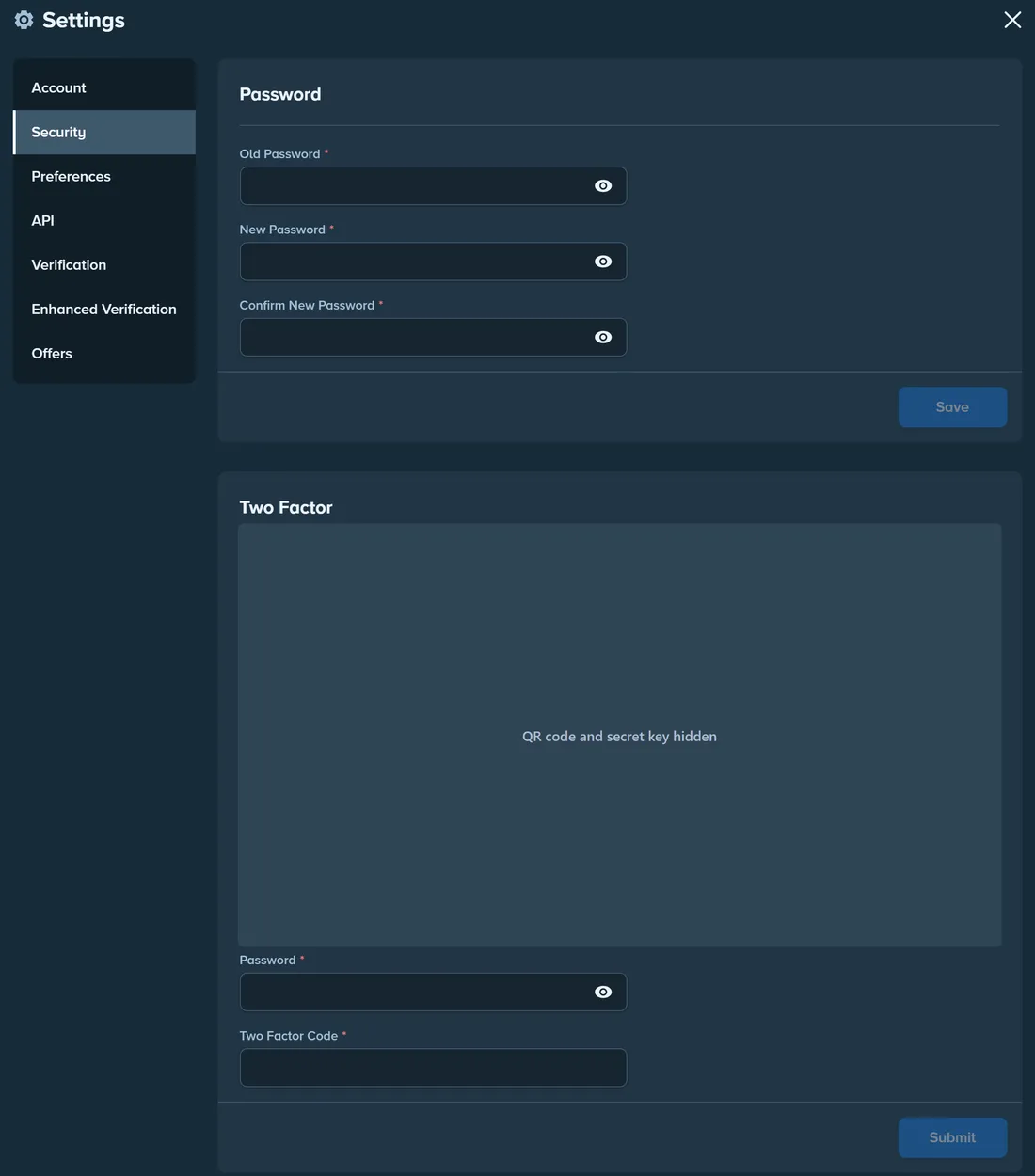
Settings → Security: change your password and set up 2FA. QR code and secret key hidden. Screenshot taken November 2026. - 2
Install an authenticator app
Any standard time-based code app works – for example Google Authenticator, Microsoft Authenticator or a password manager with one-time codes. - 3
Scan the QR code or enter the secret key
Store a copy of the secret key offline. It's the only way to restore your codes on a new phone without contacting support. - 4
Confirm with a code and your password
Enter the 6-digit code from the app and your account password to switch 2FA on. - 5
Keep your phone's clock automatic
Authenticator codes depend on the device time – if codes are rejected, turn on automatic date and time first.
Passkeys
A passkey lets you sign in with your device's fingerprint, face or PIN instead of typing a password. On Stake the option becomes available once 2FA is on.
Passkeys are tied to the real website, so a look-alike phishing page can't use them – one of the strongest protections against fake login pages.
The Vault
The Vault is a separate balance inside your account. Funds in it aren't available for bets, so you can't wager them by accident and they're one extra step away from anyone who gets into your session.
Move only what you plan to play with into your main balance – it doubles as a simple budgeting tool.
Check your active sessions
Stake lists the browsers and devices signed in to your account in Settings → Sessions.
- ✓Review the list after signing in on a new device or a shared computer.
- ✓End every session you don't recognise.
- ✓If you find one, change your password straight away and make sure 2FA is on.
If you think your account is compromised
- 1
Change your password from a trusted device
Type stake.com yourself or use a bookmark – never follow a link from an email or DM. - 2
Turn on or reset 2FA
If 2FA was already on, set it up again with a new secret key. - 3
End all other sessions
Settings → Sessions – remove everything except the device you're using. - 4
Contact live chat
Report what happened and include the date and any transaction IDs you don't recognise. Support can review account activity.
Frequently asked questions
Is 2FA mandatory on Stake?
I lost the phone with my authenticator app
Will Stake support ever ask for my password or 2FA code?
Can I see where my account is signed in?
Related guides
Official domains & phishing
How to tell the real Stake from look-alike sites, fake support and fake apps.
Login problems
Forgotten password, lost 2FA or email access, and a site that won't load.
Verification (KYC)
What Verification and Enhanced Verification ask for, and how to pass on the first try.
Withdrawals
How to withdraw, how long it takes, fees and what can hold a payout.